Deepfake video calls on Google Meet
Read How a deepfake video call runs first. This page covers only what is specific to Google Meet.
Meet is the natural channel for an organisation that lives in Google Workspace, where a meeting is something that appears in a calendar rather than something anyone sends a link for. That familiarity is the attack surface: a target who joins six Meet calls a day is not examining the seventh.
It is also the channel with the most human gatekeeping, and that changes how you plan the exercise.
What you need before you launch
- The meeting code, which is the short hyphenated string at the end of a Meet link, in the
shape
abc-defg-hij. Not the whole URL. - Someone who will admit a guest. See being let in.
The meeting details note takes the code. Paste it there at the Delivery Channel step so it follows you into the session.
Getting into the meeting
Meet's front page is built for people who are signed in, and the guest route is deliberately quieter than the sign-in button.
Google Meet
Screens captured 25 August 2026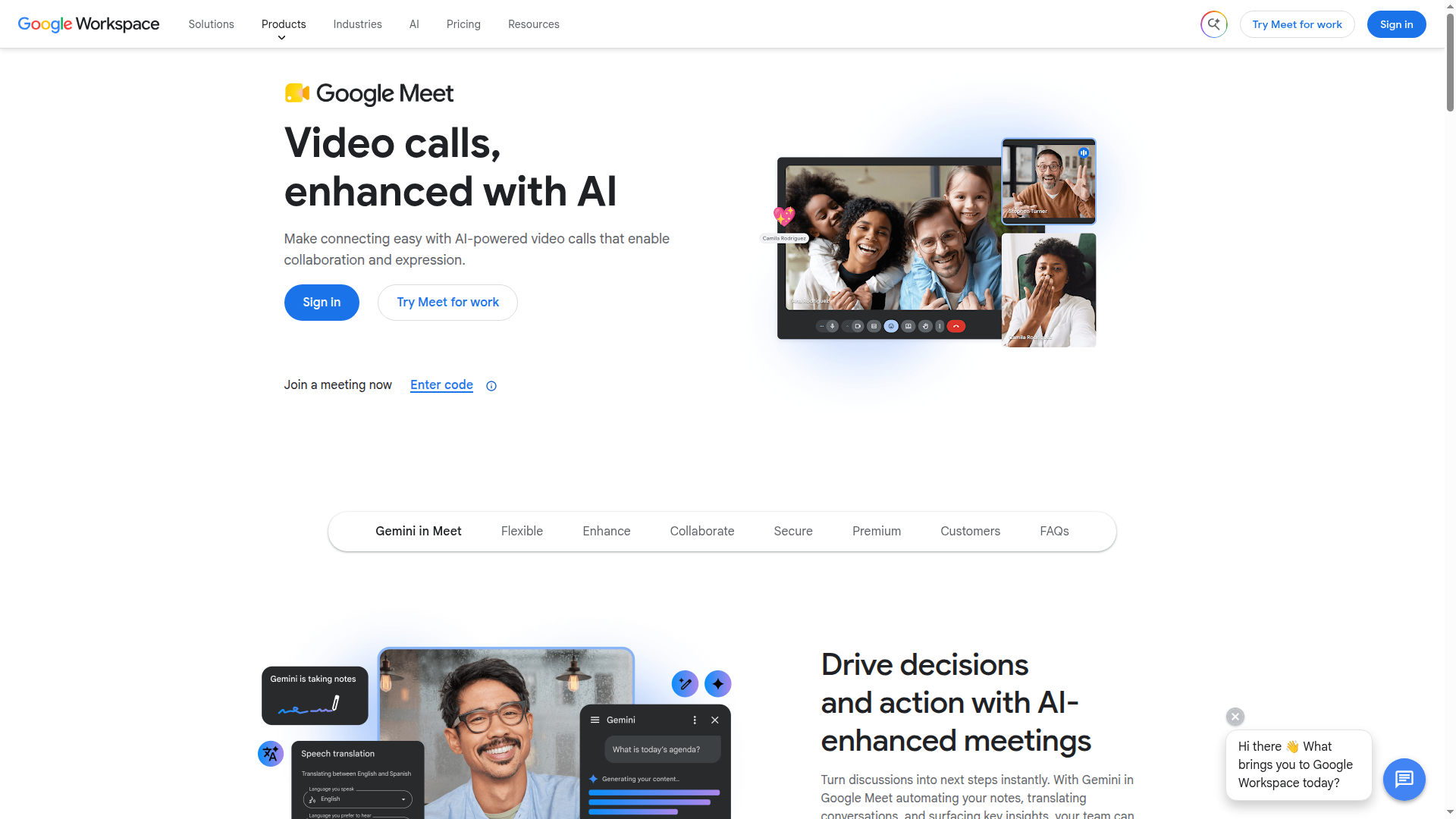
Step 1 of 2Find the join-by-code link
Ignore the big blue Sign in button. Next to "Join a meeting now", click the small "Enter code" link.
Alternative: Or click Sign in and use the Google account you are impersonating, then join from its Meet home page.
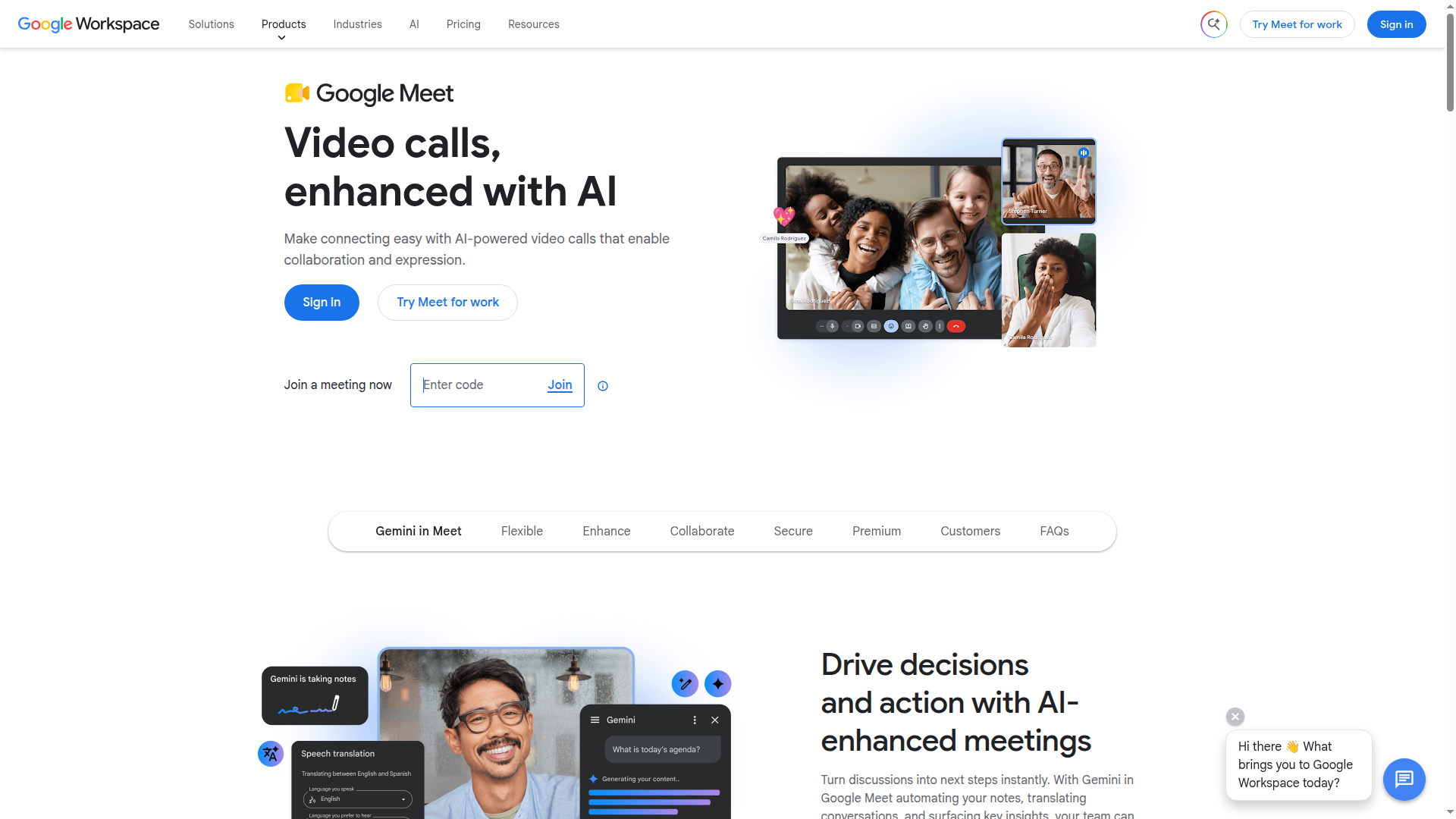
Step 2 of 2Type the meeting code
Type the meeting code from the invite into the box, then click Join.
Alternative: A full meet.google.com link works here too, not just the short code.
Both screens are shown because the box you need does not exist until you have asked for it.
Paste the code into that box and press Join. Nothing has been sent to anyone yet: the next screen is Meet's, not ours.
Being let in
This is the difference between Meet and Zoom, and it decides how the exercise is scheduled.
A guest who joins a Meet call asks to join, and waits for somebody already in the meeting to admit them. There is no passcode that gets you past this. So on Meet, some human sees a name and a request before your exercise begins.
That has three consequences worth planning around:
-
The name is the whole pretext at that moment. Whoever admits you sees a name and nothing else. Spell the persona exactly as the organisation writes it.
Meet asks for it on the way in, and the swap is already running behind the field, so the preview shows the persona rather than the operator:
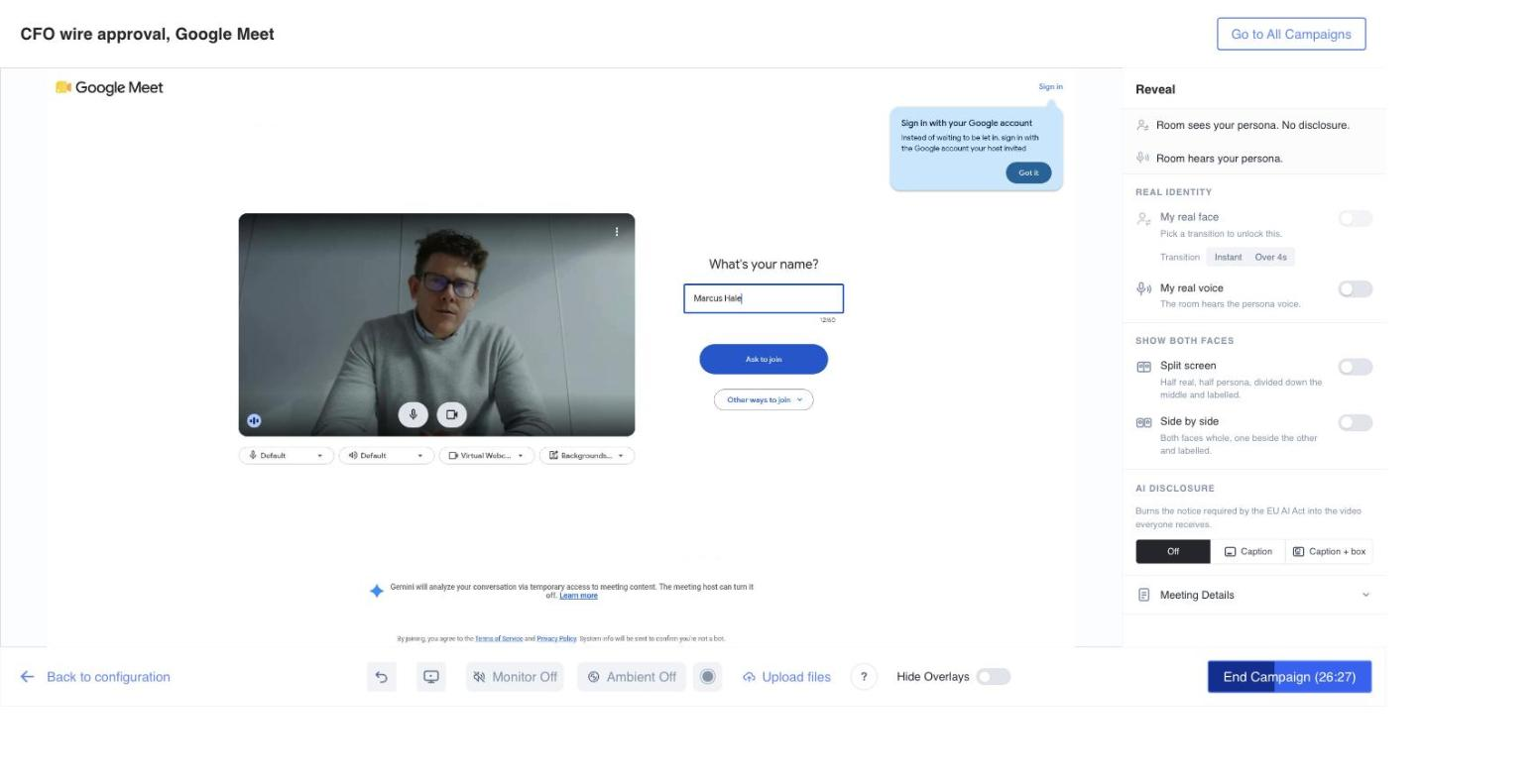
The name typed here is the whole pretext: it is all the person admitting you sees.Footage filmed for Callstrike; persona face supplied by Callstrike (Filmed for Callstrike with permission. Not stock footage) -
Somebody has to be in the meeting already. If the target is the first to arrive, they are the one admitting you, which is a different exercise from arriving into a call in progress.
-
You can be refused, silently. A request that is ignored looks identical to one that has not been seen.
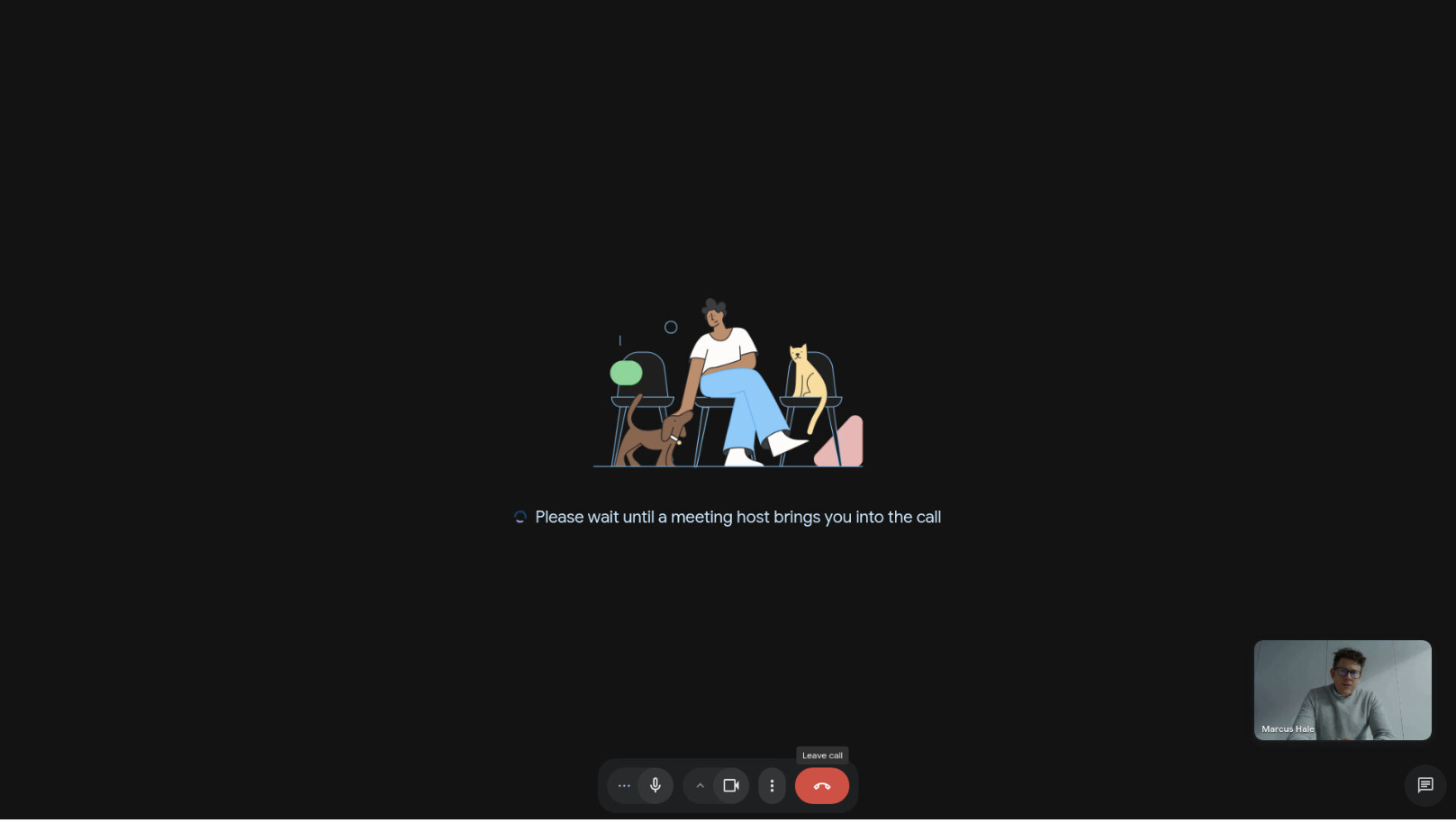
If the exercise depends on the operator arriving unannounced, brief one person inside the meeting to admit them without comment. That person is a participant in the exercise and should be recorded as one.
Organisation restrictions
Google Workspace lets an organisation refuse external participants outright, on a meeting or across the tenant. When that is on, the request to join is not merely unanswered: it is refused, and no amount of waiting changes it.
Test this before the day, with the actual meeting. It is the single most common reason a Meet exercise does not happen, and it costs a whole session to discover live.
Running the call
Meet puts less on screen than Zoom, which works in your favour: there is less for a suspicious target to inspect. Two notes:
- Meet shows a joining tone and a participant list change. Everyone in the call knows the moment you arrive. Arriving mid-sentence is not available.
- The reveal reads differently here. In a Workspace organisation the participant list shows guests distinctly. If part of your debrief is "nobody questioned an external guest", the evidence for that is on screen during the call and worth capturing.
What goes wrong
The code is rejected. You have pasted the whole link, or a code with the wrong hyphenation. The short code alone is what the box wants.
Nothing happens after asking to join. Nobody in the meeting has admitted you, or the organisation refuses external guests. Both look the same from outside.
You are admitted and the target sees no video. The face swap is not running. See configuring the session.
Related
- How a deepfake video call runs
- Zoom, where a passcode replaces the gatekeeper
- AI Act compliance