Deepfake video calls on Slack
Read How a deepfake video call runs first. This page covers only what is specific to Slack.
Slack is the odd one out, and it is the most interesting channel in this section. Every other platform here is a meeting: something scheduled, with an identifier, that a guest can be pointed at. Slack has no such thing. There is no join code, no meeting ID, nothing to paste, and the meeting details field is not offered at the Delivery Channel step because there would be nothing to put in it.
Instead you sign in as somebody, and then you call the target. That is a different exercise, and in most organisations it is a more realistic one: the call that catches people is the one that arrives without an invite, from a name in the sidebar, at 4:40 on a Friday.
What you need before you launch
This is the real cost of the Slack channel, and it is worth understanding before you commit to it.
- An account in the target's workspace. Not a guest, not a shared channel: a member. Whoever runs the exercise signs in as that account.
- A mailbox you can read during the session. Signing in sends a code to the account's own email address, and you have to be able to read it while the session is running.
- A plausible account. Whoever you sign in as is who the target sees calling. The face and voice swap change what comes down the call; they do not change the name in the sidebar.
That last point deserves a decision rather than a default. Options, in the order they are usually preferred:
- A dedicated exercise account, created for the programme, named as the persona. Cleanest, and it leaves an audit trail that is obviously an exercise.
- A real colleague's account, with their knowledge and written consent. Most realistic, and it makes them a participant in the exercise. Never do this without that consent.
- A newly created account impersonating a real person. This is the most convincing and the one that most often falls outside what your authorisation covers. Check first.
Getting in
Slack's front door is a sign-in page, and the route in is by email address and the code Slack sends back.
Slack
Screens captured 25 August 2026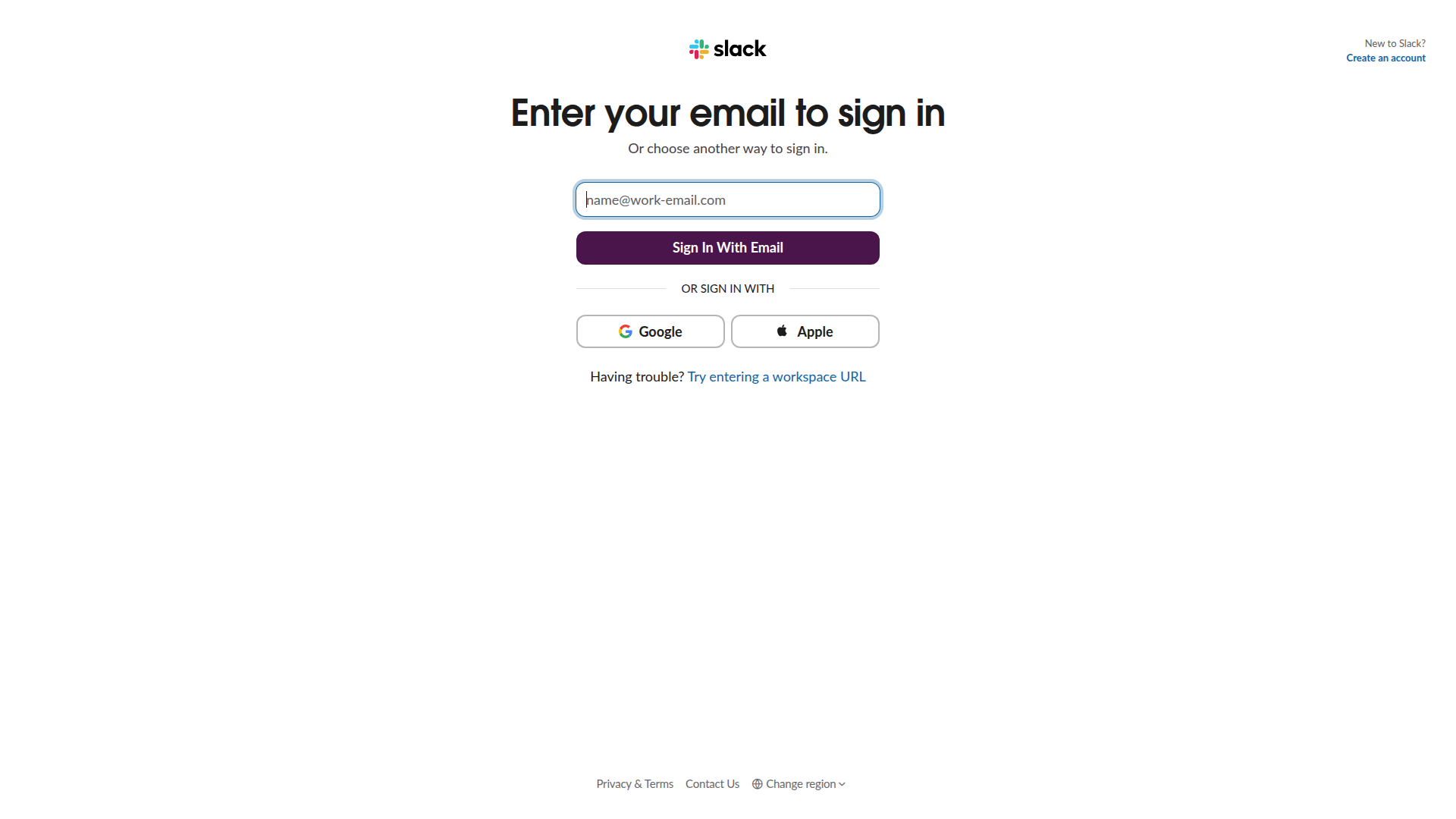
Sign in to the workspace
Slack has no join-by-code. Enter the email address of the account you are using and click Sign In With Email, then use the code Slack sends.
Alternative: "Try entering a workspace URL" underneath is the route in when you know the workspace but not the email.
The code arrives at the account's own mailbox, so have that open before you launch the session: the session is already running and its clock is already going while you wait for an email.
Reaching the target
Once you are signed in you are in the workspace as that account, with its channels and its direct messages. Slack offers two shapes of live call, and they behave differently for this exercise:
- A huddle, started from a channel or a direct message. Lightweight, audio first, with video turned on separately. It is the informal one, which is exactly why it works: a huddle invitation from a colleague reads as less of an event than a meeting invite.
- A call, which is more explicitly a video call from the start.
Either way, the target gets a notification from a name they know, with no invite and no context, and decides in a couple of seconds whether to answer.
⚠ Video is not on by default in a huddle. A huddle that starts audio-only is a voice impersonation, not a deepfake video call, and the face swap you configured is doing nothing. Turn video on, and confirm the target can see you, before the scenario starts.
What makes Slack exercises land
The pretext does not have to survive scrutiny for long, because a huddle is short by convention. That cuts both ways: less time for the target to become suspicious, and less time for you to build the pressure the scenario needs. Scenarios that work here are the ones with a single ask.
The debrief writes itself differently too. On Zoom the question is "did the face convince you". On Slack it is usually "why did you answer a huddle from someone you had not spoken to in months", which is a question about your organisation rather than about the technology.
What goes wrong
The sign-in code does not arrive. It went to the account's mailbox, which somebody has to be able to read. This is a prerequisite, not a fault.
You are signed in to the wrong workspace. The account belongs to several. Check the workspace name before you call anyone.
The target answers and sees nothing. Either video was never turned on in the huddle, or the face swap is not running. Check the huddle first: it is the more likely of the two and the one that is specific to this channel.
The target does not answer. There is no queue and no voicemail. Slack exercises need a plan for this, because it is a common outcome rather than a failure.
Related
- How a deepfake video call runs
- Zoom, for the scheduled version of the same exercise
- AI Act compliance