Deepfake video calls on Telegram
Read How a deepfake video call runs first. This page covers only what is specific to Telegram.
Telegram matters for exercises in two situations: organisations where it is a genuine work channel, common across parts of Europe, the Middle East and Asia, and targets in industries where Telegram is where deals happen. In both, a Telegram video call from a known contact carries the same unquestioned legitimacy that a Zoom invite has elsewhere.
Of the three paired channels it is the most forgiving, because it is the one with a second way in when the first fails.
What you need before you launch
- A Telegram account, and the phone it belongs to, in the room.
- The target as a contact, or their username. Telegram will let you reach someone by username without a phone number, which is a meaningful difference from WhatsApp.
- A decision about whose account this is. The account's display name and photograph are what the target sees before they answer. Unlike a phone number, both are editable, which makes impersonation on Telegram trivially easy and correspondingly easy to overstep with. Keep it inside what your authorisation covers.
There is no meeting details field for Telegram. There is nothing to paste.
Signing in
Telegram's desktop client opens on a welcome screen rather than on the sign-in itself, so the control you need is one click in.
Telegram
Screens captured 25 August 2026
Step 1 of 2Start the sign-in
Click Start Messaging. Nothing is sent to anyone; this only opens the sign-in screen.
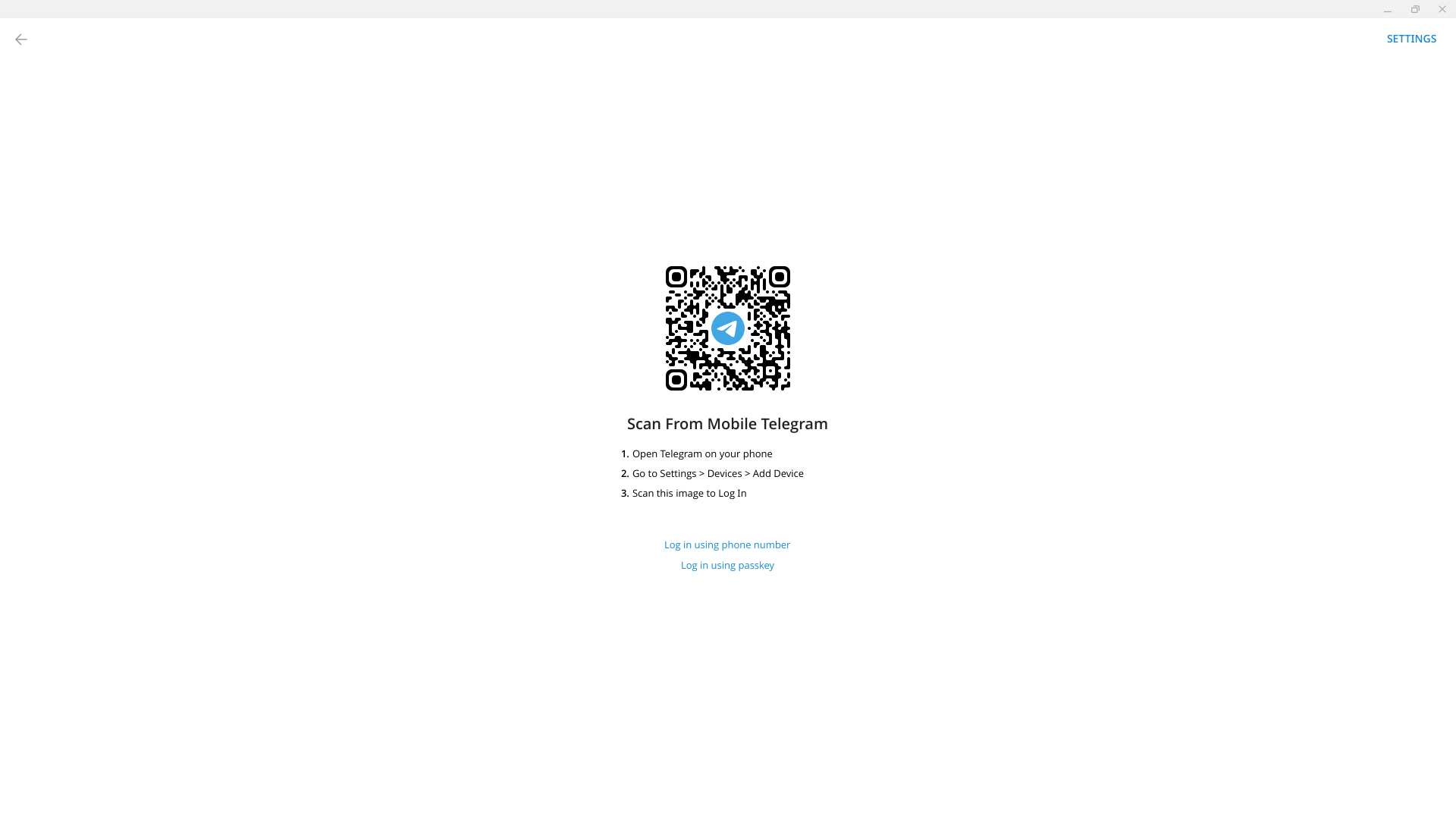
Step 2 of 2Pair your phone
On your phone, open Telegram, go to Settings then Devices then Add Device, and scan this code.
Alternative: "Log in using phone number" underneath takes an SMS code instead of the QR.
Both screens are shown for that reason. On the second, the device is added from your phone under its own device settings.
The fallback that Signal does not have
If the scan will not work, and it sometimes will not, Telegram offers a sign-in by phone number instead, with a code sent to that number. It is the same account and the same result.
This is worth knowing before you need it. It is the difference between a failed scan costing you thirty seconds and costing you the session, and it is the single clearest reason to prefer Telegram over Signal when either would suit the exercise.
Whichever route you take, the sign-in does not persist between sessions. Every run starts from a signed-out client and needs the phone again, exactly as WhatsApp does. Do it while the voice and face are being configured, not after.
Making the call
Open the conversation and start a video call. The target's phone rings. There is no lobby and no admission step.
Telegram specifics worth planning around:
- The display name is not evidence of anything, and a security-aware target may know that. On Telegram, a convincing exercise usually needs an account with some history, not just the right name on it.
- The target may be on desktop. Telegram desktop use is much more common than WhatsApp desktop use, so unlike WhatsApp you cannot assume a small vertical screen.
- Calls are one to one. There is no meeting for a third party to observe from. If someone needs to witness the exercise, that has to be arranged another way.
What goes wrong
The scan fails. Use the phone number route instead. This is the channel where that exists.
The account signs in but the target cannot be found. They are not a contact and you do not have their username. Resolve this before the session, not during it.
The call connects with no video. The face swap is not running. See configuring the session.
Related
- How a deepfake video call runs
- WhatsApp and Signal, the other paired channels
- AI Act compliance